The WordPress vs headless CMS debate has matured past the hype cycle. Five years ago, the conversation centered on whether headless was viable. Today, the question is whether it’s worth it, and for most mid-market brands the answer depends less on technology capability and more on team structure, content velocity, and long-term operational cost.
Key Takeaways
Headless CMS architectures decouple content management from presentation, offering flexibility for omnichannel distribution and developer-controlled frontend frameworks. WordPress remains the dominant CMS (43% of all websites) because it solves the publishing problem most brands actually have: empowering non-technical teams to create, update, and manage content without developer dependency.
The migration decision comes down to three core factors. Does your brand distribute content across multiple surfaces (web, mobile app, kiosk, IoT) where a shared content API adds material efficiency? Do you have an in-house or retained development team capable of maintaining a decoupled frontend? Can you absorb 12-18 month content workflow disruption during migration and the permanent 20-40% increase in operational overhead post-launch?
If the answer to all three is yes, headless may be the right architecture. If any answer is no, modern WordPress built on Gutenberg + ACF delivers faster deployment, lower total cost of ownership, and better content team autonomy.
Get the Playbook
Why Your B2B Brand is Invisible in AI Search and How to Fix It
When Headless CMS Genuinely Adds Value
Headless architectures solve specific structural problems. They are not universally better; they are better for certain operating models.
Headless CMS makes sense when content must flow to multiple distinct frontends. A retail brand with web, native mobile app, in-store kiosks, and voice interface benefits from a single content repository feeding all surfaces through APIs. Each frontend can be optimized independently without forcing every channel into a shared template system. The Jamstack Community Survey found that 68% of developers using headless architectures cited omnichannel content distribution as the primary driver.
High-traffic applications with complex performance requirements also favor headless. Decoupling content management from frontend delivery allows engineering teams to optimize the presentation layer for speed, caching strategies, and edge distribution without CMS constraints. Brands generating 10M+ monthly sessions often see measurable performance gains because the frontend can be built on frameworks like Next.js or Nuxt optimized for static generation and incremental regeneration.
Developer-heavy product teams with existing frontend expertise benefit most. If your organization already maintains JavaScript applications and has engineers comfortable with React, Vue, or Svelte, headless removes CMS presentation restrictions. The frontend becomes code that lives in version control, runs through CI/CD pipelines, and follows the same deployment patterns as the rest of your software. For teams that think in components and props, headless feels native.
The value proposition breaks down when these conditions aren’t met. A B2B SaaS company with one marketing site, a small content team, and no mobile app does not benefit materially from headless complexity. The architectural flexibility goes unused while operational costs compound.
The Real Migration Costs Vendors Underplay
Headless CMS vendors often position migration as primarily a content model exercise. The pitch emphasizes API flexibility and frontend freedom while downplaying the backend buildout, integration rewiring, and permanent workflow changes that follow.
Real migration cost breaks into five buckets. Backend content modeling and API configuration typically require 200-400 hours depending on content type complexity and taxonomy depth. Frontend application development (building the actual website or app that consumes the headless CMS) often exceeds backend work by 2-3x because it involves recreating every page template, component, and user interaction from scratch. Content migration, especially for sites with 500+ pages, image libraries, or complex metadata, can require 100-200 hours of manual cleanup because automated migration rarely handles edge cases cleanly.
Integration rewiring introduces hidden cost. Most mid-market brands depend on 8-15 integrated services (analytics, CRM, marketing automation, eCommerce, support tools). When you decouple the CMS, each integration must be rebuilt. A HubSpot form embed that worked natively in WordPress now requires custom API handling, webhook configuration, and ongoing maintenance. Multiply this across every tool in your stack.
Contentful’s Total Economic Impact study found that enterprises spent an average of $320K on initial implementation costs, though mid-market deployments typically land between $150K-$250K when including backend setup, frontend development, content migration, integrations, and deployment infrastructure. The study also noted a 12-18 month period before teams reached operational efficiency comparable to their previous CMS.
Ongoing maintenance costs rise permanently. A traditional WordPress site maintained by a marketing team might require 5-10 developer hours per month for plugin updates, minor enhancements, and troubleshooting. A headless implementation requires 20-40 hours per month because content editors can’t troubleshoot frontend issues, deploy changes without engineering involvement, or add new page types without a developer building the corresponding component and API endpoint.
Modern WordPress as a Headless Alternative
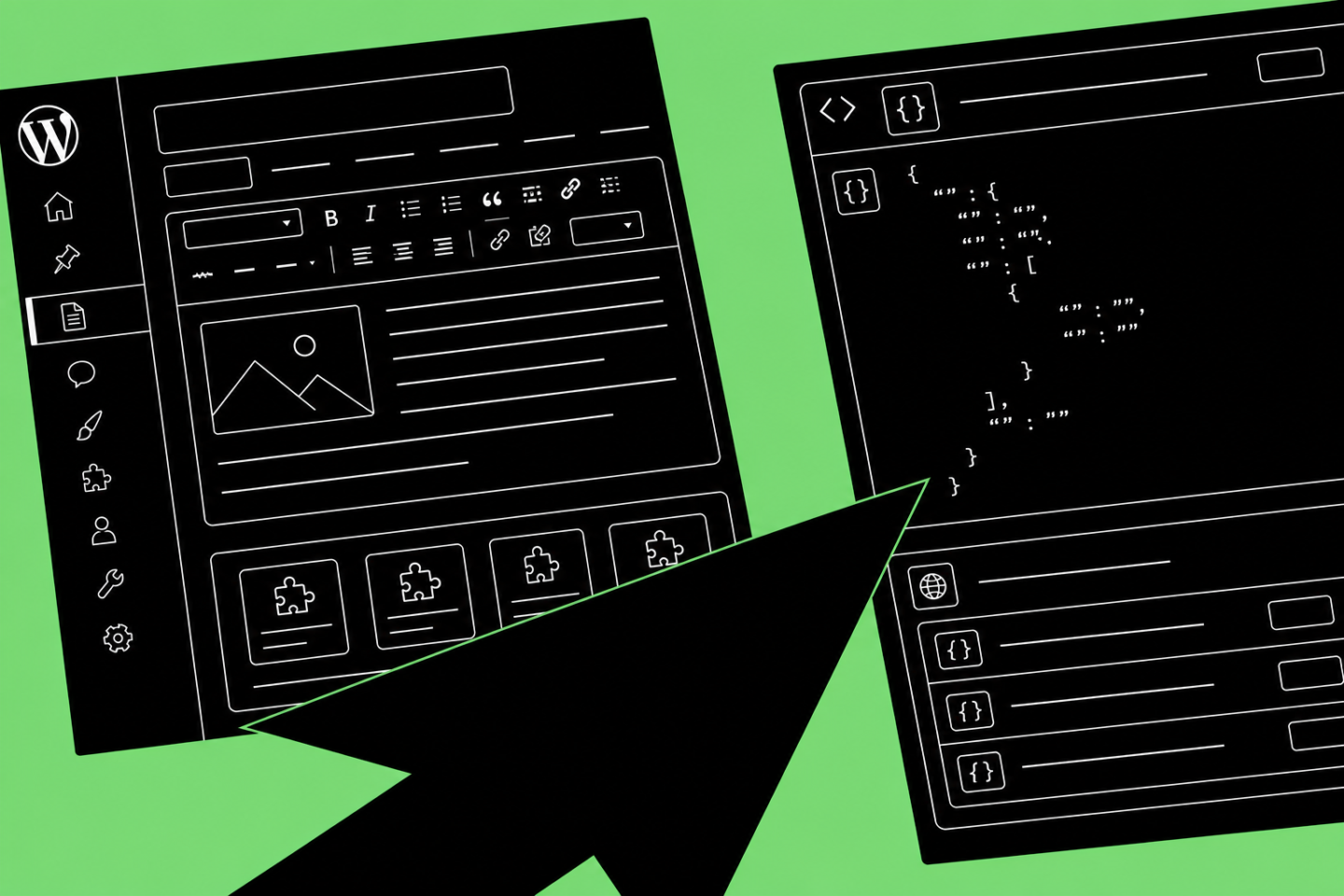
The counter-narrative to headless migration is that WordPress itself has evolved significantly. Gutenberg (WordPress’s block editor) combined with Advanced Custom Fields (ACF) delivers component-based content management without decoupling the frontend.
Gutenberg’s block system lets developers build reusable content components (hero sections, testimonial grids, comparison tables, FAQ modules) that non-technical users can arrange, configure, and publish independently. ACF extends this with custom fields, flexible layouts, and block variations that support complex content models without custom code. The result is a content editing experience that approaches headless flexibility while preserving WordPress’s core strength (content teams can publish without waiting on engineering).
When 7Factor Software needed a platform that balanced developer control with content team autonomy, Blennd built flexible WordPress components for service pages, case studies, and resources so the internal team could update content without developer dependency. The site now supports form submissions up 467%, organic traffic up 63%, and a content operation that doesn’t require engineering involvement for routine updates.
Performance concerns around WordPress have largely been solved through hosting and architecture improvements. Managed WordPress hosts like Kinsta, WP Engine, and Flywheel now offer edge caching, CDN integration, and server-level optimization that rival headless performance for most use cases. Kinsta’s 2024 performance benchmarks show properly configured WordPress sites achieving sub-200ms time-to-first-byte and 90+ Lighthouse scores, metrics previously cited as reasons to migrate to headless.
The WordPress vs headless CMS decision often comes down to whether your team values deployment speed and editorial autonomy over architectural purity. For brands where content velocity matters more than omnichannel distribution, WordPress delivers faster ROI.
How to Evaluate CMS Fit for Your Organization
The CMS decision framework should start with content team capabilities, not technology features. Ask whether your marketing, content, or product team has the skills and appetite to depend on developers for routine publishing tasks. If the answer is no, headless introduces friction that will slow content operations and frustrate teams who previously had autonomy.
Evaluate your actual distribution model. How many distinct frontends do you operate today, and how many are on your 12-month roadmap? A single marketing website does not justify headless architecture. A marketing site plus native iOS app plus Android app plus potential future kiosk or voice interface starts to tip the scales. Be honest about what you will actually build, not what you might build someday.
Assess internal development capacity and retention risk. Headless CMS implementations create permanent dependencies on frontend developers who understand your specific framework, API contracts, and deployment pipeline. If that knowledge lives with one or two contractors or junior developers, you carry significant operational risk. When GoTu migrated to a modern WordPress + ACF architecture hosted on Kinsta, the rebuild eliminated backend code stacking that previously made updates risky and empowered the team to manage content independently. Ranking keywords grew 58% in five months while the platform became easier to maintain.
Calculate total cost of ownership over 3-5 years, not just initial migration cost. Include developer hours for ongoing maintenance, content team productivity loss during migration, opportunity cost of delayed launches, and the compounding cost of integration rewiring every time you add a new tool to your stack.
Use a decision matrix that weights content velocity, team autonomy, and long-term maintenance cost as heavily as technical flexibility. Most brands overweight the architecture benefits and underweight the operational realities.
Frequently Asked Questions
Can WordPress handle high-traffic websites as effectively as headless CMS?
Yes, when properly configured. Managed WordPress hosting with edge caching, CDN distribution, and server-level optimization (available through Kinsta, WP Engine, Flywheel) delivers performance comparable to headless for most traffic levels. Sites under 5M monthly sessions rarely see material performance differences. Above that threshold, evaluate based on specific application requirements and caching strategies rather than CMS architecture alone.
How long does a typical headless CMS migration take compared to a WordPress rebuild?
Headless CMS migrations typically require 4-6 months for mid-market implementations when including backend modeling, frontend development, content migration, integration rewiring, and team training. WordPress rebuilds on modern Gutenberg + ACF architectures typically complete in 2-3 months because the content management layer remains familiar and integrations require less custom work. Both timelines assume dedicated development resources and clear content strategy.
What happens to SEO during a CMS migration?
SEO preservation depends on redirect planning and URL structure decisions, not CMS choice. Both WordPress and headless migrations carry SEO risk if redirects are mishandled or site architecture changes significantly. The migration itself matters less than whether you maintain URL consistency, preserve metadata, implement proper 301 redirects, and maintain crawlability throughout the transition. Headless migrations introduce slightly higher risk because they often involve complete URL restructuring rather than in-place upgrades.
Do I need a headless CMS if I want to use modern JavaScript frameworks?
No. WordPress can function as a headless CMS by exposing content through its REST API or GraphQL (via WPGraphQL) while allowing you to build a decoupled frontend in React, Next.js, or another framework. This “headless WordPress” approach preserves content team familiarity with WordPress while giving developers frontend control. It’s an intermediate option that avoids both traditional WordPress theme constraints and full headless operational overhead.
Is headless CMS better for content reuse across multiple channels?
Headless CMS architectures are specifically designed for omnichannel content distribution, making them the stronger choice when content must flow to web, mobile apps, kiosks, voice interfaces, or IoT devices through a shared API. If you only operate one or two channels (e.g., marketing website plus email), the architectural benefit doesn’t justify the operational cost. Evaluate based on how many distinct frontends you actively maintain, not hypothetical future channels.
What’s the biggest risk of choosing the wrong CMS architecture?
Choosing headless when your team lacks development capacity creates permanent dependency on external developers for routine content updates, slowing content velocity and inflating ongoing costs. Choosing traditional WordPress when you genuinely need omnichannel distribution forces workarounds (multiple CMS instances, content duplication, manual syncing) that create long-term technical debt. The biggest risk is optimizing for technology elegance rather than operational reality.
Sources
- The Total Economic Impact of Contentful. Contentful, 2023.
- State of Jamstack Development 2024. Jamstack Community Survey, 2024.
- Market Share Statistics. WordPress, 2024.
- Digital Experience Platforms: Critical Capabilities. Gartner, 2023.
- Headless WordPress: Developer Survey Results. WP Engine, 2024.
- WordPress Performance Benchmarks 2024. Kinsta, 2024.
Evaluating a CMS migration but unsure which path fits your team?
Blennd has rebuilt platforms on both WordPress and headless architectures for mid-market brands across SaaS, healthcare, eCommerce, and B2B services. We evaluate CMS fit based on your content velocity, team structure, integration requirements, and growth roadmap, not vendor incentives. If you’re weighing WordPress vs headless CMS or need an honest second opinion on a proposal, we can help you avoid expensive misalignment.