
Digital products are not experienced as static compositions. People move through them step by step, clicking, scrolling, submitting, waiting, and deciding. Every transition, response, and state change influences how intuitive, credible, and complete the experience feels.
That is why motion should be treated as part of the user experience itself, not as polish added after the fact. When it is handled well, it reinforces clarity and confidence in the moments that matter most. When it is missing or misused, even a visually strong interface can feel confusing, clunky, or incomplete.
Key Takeaways
- Motion design improves user experience when it explains change, confirms response, guides attention, or preserves continuity.
- The best motion is usually subtle. It supports understanding without slowing the user down.
- Trust is often built in small interaction moments such as loading states, inline validation, panel transitions, and progress indicators.
- Motion that ignores accessibility or performance is not premium. It is a liability.
- Mature teams treat motion as a system, not a layer of visual polish added at the end.
Motion design is not decoration. It is interface language.
Motion design is useful when it communicates something the user needs to know. That includes state changes, hierarchy shifts, progress, feedback, and spatial relationships between screens or components. Nielsen Norman Group has long argued that animation works best when it helps users build mental models of how a system behaves, not when it simply fills time or tries to entertain.
That is the first strategic distinction serious teams need to make. Decorative animation can make an interface look more polished in a presentation. Functional motion makes the product easier to use in the real world. Those are not the same thing.
This is why motion belongs in conversations about UX, conversion, and brand trust, not just visual style. A strong website user experience strategy should define how movement supports comprehension across the journey, not just how the interface looks in static mockups.
Why motion improves clarity
Motion improves clarity by making change legible. Users are constantly trying to answer a few silent questions: Did that work? What moved? Where did that go? What happens next? Purposeful movement answers those questions faster than static screens alone.
Nielsen Norman Group’s guidance on the role of animation and motion in UX and animation for attention and comprehension points to four practical jobs motion can do well:
1. Explain state change
When a filter is applied, a form is submitted, or a menu expands, motion can show that the system is responding. This reduces ambiguity. Without it, the user is left to infer what happened, which increases hesitation.
2. Preserve spatial continuity
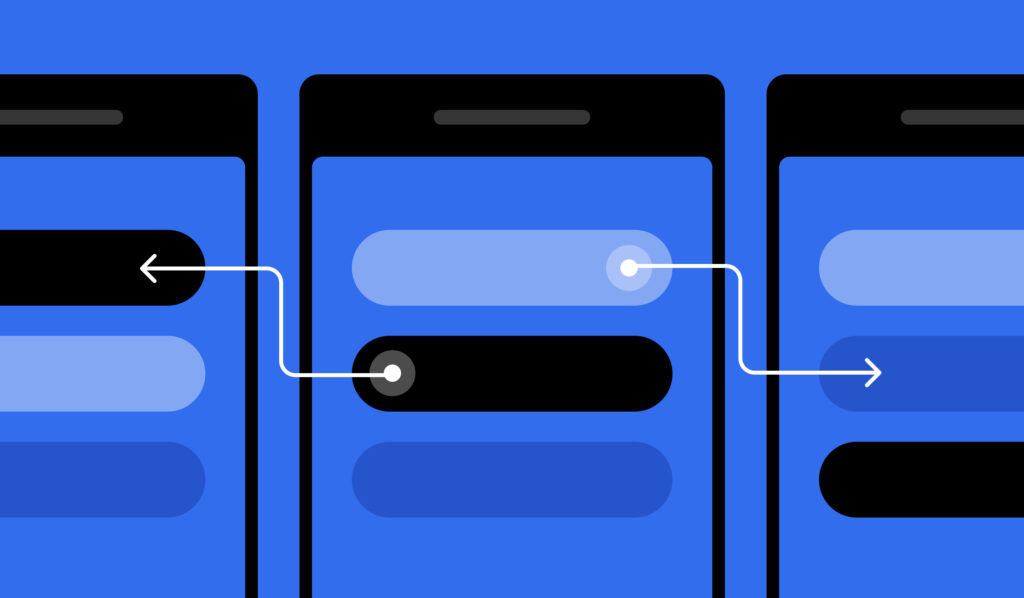
Transitions help users understand how one view relates to another. Google’s Material Design guidance on applying transitions notes that transitions establish a coherent spatial model. That matters because continuity reduces the cognitive effort required to reorient after each interaction.
3. Direct attention
Movement attracts attention. Used carefully, it can highlight the next relevant step, surface validation feedback, or guide the eye to changed content. Used carelessly, it hijacks attention and interrupts the task.
4. Pace information
Not every interface needs to reveal everything at once. Motion can support progressive disclosure by introducing complexity in a more manageable sequence. That is especially useful in onboarding, dashboards, and multi-step forms where too much visible information creates friction.
The important takeaway is simple: motion is most valuable when it makes change easier to follow.
Trust is often built in the gap between action and response
Trust is not only shaped by brand messaging or testimonials. It is also shaped by whether the interface behaves like a reliable system. Jakob Nielsen’s usability heuristics still hold up here, especially the principle of visibility of system status. Users need clear, timely signals that the product heard them and is doing what it should.
That is where motion becomes a trust tool.
A button press that acknowledges input, a progress bar that shows a process is underway, or an inline success state that confirms a save all reduce uncertainty. Nielsen Norman Group’s research on progress indicators found that people are more satisfied and more willing to wait when systems communicate working status dynamically. The point is not that users enjoy waiting. It is that uncertainty feels worse than delay.
This matters in high-stakes moments:
- submitting a lead form
- booking a demo
- saving account details
- applying filters to a large data set
- checking out
- moving through onboarding
In each of these moments, motion can either reassure or unsettle. If the system appears stalled, jumps abruptly, or changes without explanation, confidence drops. If the response is immediate, consistent, and legible, the interface feels more credible.
That is one reason strong conversion rate optimization work is not only about copy, offers, and layout. It is also about how the interface behaves under real interaction.
The wrong motion makes products feel slower, not better
Motion does not automatically create a better experience. In many cases, it does the opposite.
Nielsen Norman Group has repeatedly documented that excessive motion distracts users, delays content consumption, and can even be mistaken for advertising. Its guidance on homepage design principles explicitly warns against using motion just to draw attention. The same pattern shows up in scroll-triggered text animations, which often slow readers down and get in the way of the content itself.
This is where many teams get the tradeoff wrong. They judge motion by how interesting it looks in isolation, not by whether it helps the user complete a task. The result is ornamental movement that consumes attention without adding meaning.
A useful internal test is this:
- What uncertainty does this motion remove?
- What action or state change does it explain?
- Does it guide attention or steal it?
- Would the task still feel clear with reduced motion enabled?
- Is it fast enough to feel responsive?
- Is it consistent with the rest of the product?
If a motion treatment cannot answer those questions well, it is probably decorative debt.
Microinteractions shape the feel of the product more than most teams realize
When people describe a product as intuitive, polished, or trustworthy, they are often reacting to microinteractions. These are the small trigger-and-feedback moments that happen constantly throughout the experience. Nielsen Norman Group defines microinteractions as single-purpose interactions that communicate system status, support error prevention, and reinforce brand.
That definition matters because it reframes microinteractions as functional, not cosmetic.
A strong microinteraction can:
- confirm that an action happened
- help a user avoid mistakes
- make a control feel more discoverable
- reduce hesitation before committing to the next step
- reinforce that the system is responsive and well made
Some of the highest-value examples are also the least flashy:
- input focus and completion states
- inline validation
- save confirmations
- tab changes
- filter chips updating results
- upload progress indicators
- hover and press states that signal interactivity
These moments add up. They shape whether a product feels coherent or brittle. For brands investing in modern website design and development, this is often one of the clearest differences between an interface that merely looks current and one that actually feels well designed.
Accessibility is not a constraint on motion design. It is part of good motion design.
A motion system that ignores accessibility is incomplete. Some animation patterns can trigger dizziness, nausea, disorientation, or distraction. That includes large zoom effects, parallax, autoplay movement, and aggressive scroll-linked behaviors.
The web platform has given teams a clear mechanism for addressing this. According to web.dev’s guide to prefers-reduced-motion, designers and developers can detect when a user has requested less motion at the operating system level and reduce or remove non-essential animation accordingly. WCAG 2.2 guidance on Animation from Interactions reinforces the same principle: motion triggered by interaction should be disableable unless it is essential.
This is not a fringe requirement. It is a quality standard.
Teams that take motion seriously should define:
- what motion is essential
- what motion is optional
- which effects must be removed or softened under reduced-motion settings
- how feedback is still communicated when animation is minimized
That approach produces better experiences for everyone, not just users with explicit motion sensitivity. It also forces the team to clarify what each animation is actually doing. If removing a motion effect breaks comprehension, it may be essential. If nothing is lost, it was probably decorative.
For brands thinking more broadly about digital accessibility and usability best practices, motion is often one of the most overlooked areas.
Performance is part of the motion experience
A beautiful transition that stutters is not beautiful anymore. It feels broken.
web.dev’s guidance on animations and performance is still the right benchmark: aim for 60 frames per second so animations feel smooth and do not visibly stall. In practice, that means teams should be careful about what they animate and how those effects are implemented. As a general rule, transforms and opacity changes are safer than animations that constantly trigger layout and repaint.
This matters strategically because users do not separate motion quality from product quality. They experience them as one thing. If motion feels laggy, the product feels heavy. If transitions are smooth and restrained, the interface feels more controlled.
That makes performance a design issue, not just an engineering issue. A technical website optimization strategy should account for interaction behavior as much as page speed scores. Premium experiences are not defined by more movement. They are defined by movement that feels fast, intentional, and easy to follow.
Motion should be part of the design system, not an afterthought
One of the clearest signs of digital maturity is whether motion has rules.
Many teams have defined typography, spacing, color, and components, but almost no shared language for transitions, durations, easing, and feedback behaviors. That creates inconsistency. One panel slides, another fades, another snaps open, and none of it feels related. The interface works, but it does not feel coherent.
Apple’s Human Interface Guidelines for motion describe motion as a way to convey status, provide feedback, and enrich the visual experience. That framing is useful because it treats movement as part of product behavior, not aesthetic garnish.
A mature motion system should document:
- principles for when to use motion
- approved transition patterns
- duration ranges for common actions
- easing guidance
- accessibility fallbacks
- implementation notes for developers
This is where brand and UX meet. Consistent motion can reinforce a sense of craft and control in the same way consistent typography or spacing can. It is part of the product’s operating language.
Where motion matters most in B2B experiences
B2B teams sometimes underestimate motion because they associate it with consumer apps or flashy brand work. That is a mistake. In complex buying journeys, motion often matters more because users are navigating denser information, longer workflows, and higher-stakes decisions.
High-value use cases include:
- onboarding flows that need to clarify step progression
- dashboards where filters or panels update the state of the page
- pricing and plan selectors where users need clear feedback
- form-heavy lead generation paths
- product tours
- file uploads and data processing states
- account settings, permissions, and saved changes
In these environments, motion is not about entertainment. It is about orientation and confidence. It helps users understand cause and effect.
This is especially relevant as more brands rethink their digital experience for search, self-education, and conversion. A modern AI visibility and website experience strategy should not stop at making content discoverable. It should also ensure the destination experience feels understandable and trustworthy once people arrive.
A practical framework for evaluating motion decisions
If you want motion design to be more than subjective preference, give your team a framework.
The 6-question motion review
1. What job is this motion doing?
If it does not explain change, confirm response, guide attention, or preserve continuity, challenge it.
2. Is the motion tied to user intent?
User-driven motion is usually easier to justify than autoplay motion. It feels more relevant and less interruptive.
3. Does it reduce uncertainty?
A good motion treatment should make the interface easier to interpret, not simply more dynamic.
4. Is it accessible?
Check whether reduced motion is supported and whether meaning is preserved when motion is minimized.
5. Is it performant?
If it stutters on common devices, it will degrade the experience regardless of how strong the concept is.
6. Is it consistent?
Repeated patterns should behave in repeated ways. Consistency builds familiarity and trust.
This kind of review process helps teams move past subjective reactions like “it feels nice” or “it feels modern.” Those reactions are not useless, but they are not enough.
FAQ: Motion design, UX, and trust
Does motion design improve user experience?
Yes, when it helps users understand system behavior. Motion improves UX when it clarifies state changes, preserves continuity, confirms actions, or guides attention. It hurts UX when it distracts, delays, or adds unnecessary cognitive load.
Can motion design increase trust?
Yes. Small, clear feedback moments reduce uncertainty and make products feel more responsive and reliable. Trust often grows when users can easily tell that the system received their input and is doing what they expect.
What is the difference between animation and motion design in UX?
Animation is the visual movement itself. Motion design in UX is the strategic use of movement to communicate behavior, hierarchy, and change. The difference is intent.
How should teams handle reduced motion accessibility?
Support user motion preferences through reduced-motion settings, remove non-essential effects, and make sure key feedback still works without large or continuous movement. Motion should never be the only way meaning is conveyed.
What are the most important motion elements to standardize?
Focus on transitions, durations, easing, hover and press states, loading and progress states, form feedback, and error or success confirmations. These are the patterns users encounter repeatedly.
Design movement for understanding, not spectacle
The best motion design often goes unnoticed because it makes the interface feel obvious. It helps users stay oriented, trust what they are seeing, and move forward with less hesitation. That is the real value.
As digital experiences become more complex and more competitive, movement is no longer a cosmetic decision. It is part of how products communicate, how brands are perceived, and how confidence is built one interaction at a time.
Need help making your website feel clearer and more credible?
If your site looks polished in static comps but feels flat, unclear, or inconsistent in use, the problem may not be the layout alone. It may be the behavior layer. Blennd helps brands design and optimize digital experiences that feel easier to understand, easier to trust, and stronger in the moments that drive action. Start a conversation with our team.